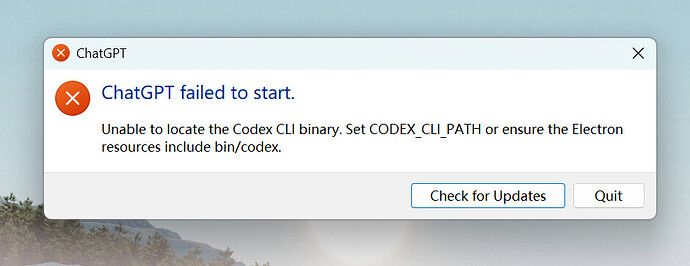
Windows Store app fails on startup: "Unable to locate the Codex CLI binary"
已打开 08:58PM - 15 Jun 26 UTC
bug
windows-os
app
### What version of the Codex App are you using (From “About Codex” dialog)?
26….609.4994.0
### What subscription do you have?
ChatGPT Plus
### What platform is your computer?
Microsoft Windows NT 10.0.22000.0 x64
### What issue are you seeing?
After installing Codex from the Microsoft Store, the application fails immediately on startup with:
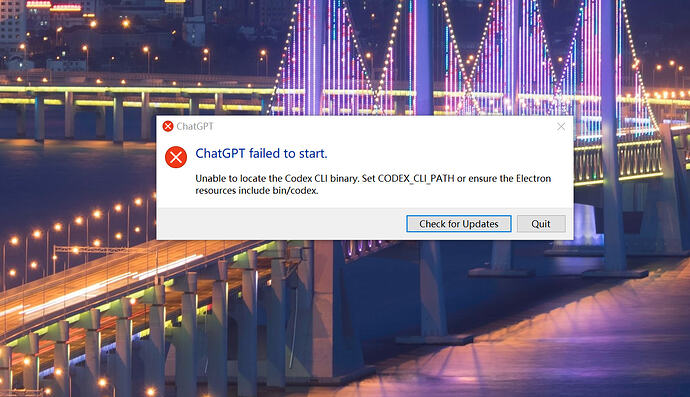
"Unable to locate the Codex CLI binary. Set CODEX_CLI_PATH or ensure the Electron resources include bin/codex."
Steps to reproduce:
1. Install Codex from Microsoft Store.
2. Launch Codex.
3. Error dialog appears immediately.
Expected behavior:
Codex starts normally.
Actual behavior:
Startup fails with the CLI binary error and the application cannot be used.
Investigation performed:
* Uninstalled and reinstalled the Store package.
* Package status reports OK:
OpenAI.Codex_26.609.4994.0_x64__2p2nqsd0c76g0
* No external codex executable exists on PATH:
where.exe codex
-> not found
Get-Command codex
-> not found
* Verified that the package contains:
app\resources\codex.exe
app\resources\codex-command-runner.exe
* Verified runtime files are created under:
%LOCALAPPDATA%\OpenAI\Codex\runtimes\cua_node...
* No relevant Windows Application log entries were generated.
Observation:
The error suggests the CLI binary is missing, but the Store package actually contains app\resources\codex.exe. This appears to be a startup path-resolution or runtime initialization problem rather than a missing file.
Store package version:
26.609.4994.0
Package family:
OpenAI.Codex_2p2nqsd0c76g0
### What steps can reproduce the bug?
1. Install Codex from the Microsoft Store.
2. Launch Codex.
3. The application immediately displays:
"Unable to locate the Codex CLI binary. Set CODEX_CLI_PATH or ensure the Electron resources include bin/codex."
The issue persists after uninstalling and reinstalling the Store package.
### What is the expected behavior?
Codex should start normally and display the application UI without requiring any manual configuration of CODEX_CLI_PATH.
### Additional information
Investigation performed:
* Package version: 26.609.4994.0
* Package status reported as OK by Get-AppxPackage.
* Reinstallation did not resolve the issue.
* No external "codex" executable exists on PATH.
* Verified that the package contains:
app\resources\codex.exe
app\resources\codex-command-runner.exe
* Runtime files are created under:
%LOCALAPPDATA%\OpenAI\Codex\runtimes\cua_node...
The error suggests the CLI binary is missing, but the binary appears to exist within the installed package. This may indicate a startup path-resolution or runtime initialization issue.
<img width="557" height="172" alt="Image" src="https://github.com/user-attachments/assets/3f567aa5-f8da-45a6-af7e-a9dae7eb128b" />


 zxcomcon 08-26 17:491楼
 老王 08-26 17:492楼
 vows 08-26 17:503楼
 kou 08-26 17:524楼
 Oneir 08-26 17:555楼
 biutifo 08-26 18:327楼
 流离 08-26 18:388楼
 Noonisy 08-26 18:419楼
 芷理 08-26 18:4210楼
 ikb 08-26 18:4713楼