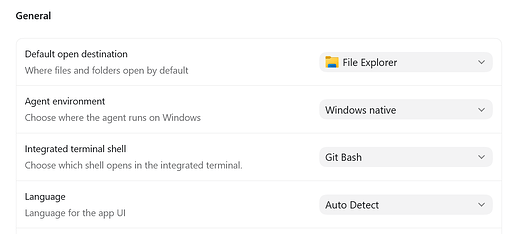
codex app也搞了默认内部终端使用git bash,虽然是win11环境里想要用bash的话,这咋搞?
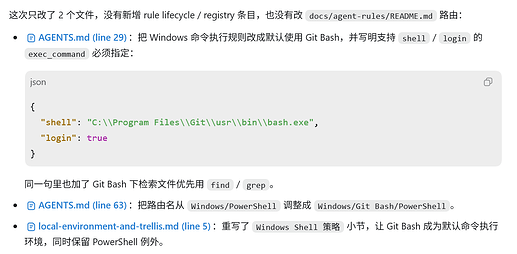
agents.md也写了要用git bash
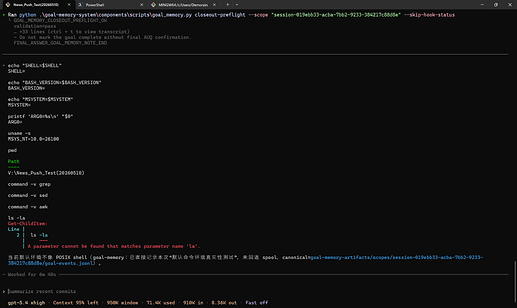
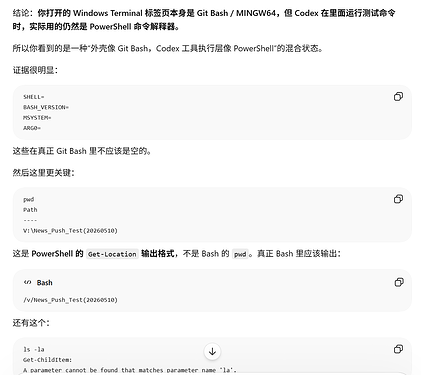
还试过Windows terminal + git bash运行codex cli,结果用同一个测试命令还是默认用powershell跑,这跑的还是codex cli为什么还是不行
issue那边也有人提这个问题,一直没修复 feat: configurable Windows agent shell (powershell/git-bash) · Issue #16717 · openai/codex · GitHub
Jawad-hussain-kalwar

on Apr 4


I have tried it, I have tried adding it to global rules, it sitll tends to use powershell, the limitation is the functions.shell_command tool by default it is only configured to be powershell so even if agent tried to use gitbash it will do so via powershell and then use bash.exe followed by command and it makes its performance even worse and token usage is also wasted,


我试过了,也尝试过将其添加到全局规则中,但它仍然倾向于使用 PowerShell。限制在于 functions.shell_command 工具默认只配置为 PowerShell,因此即使代理尝试使用 Git Bash,它也会通过 PowerShell 执行,然后再使用 bash.exe 执行命令,这使得其性能更差,并且浪费了令牌。
唯一的办法就是显式执行& 'C:\Program Files\Git\bin\bash.exe' -lc "your command",好像没别的办法了?
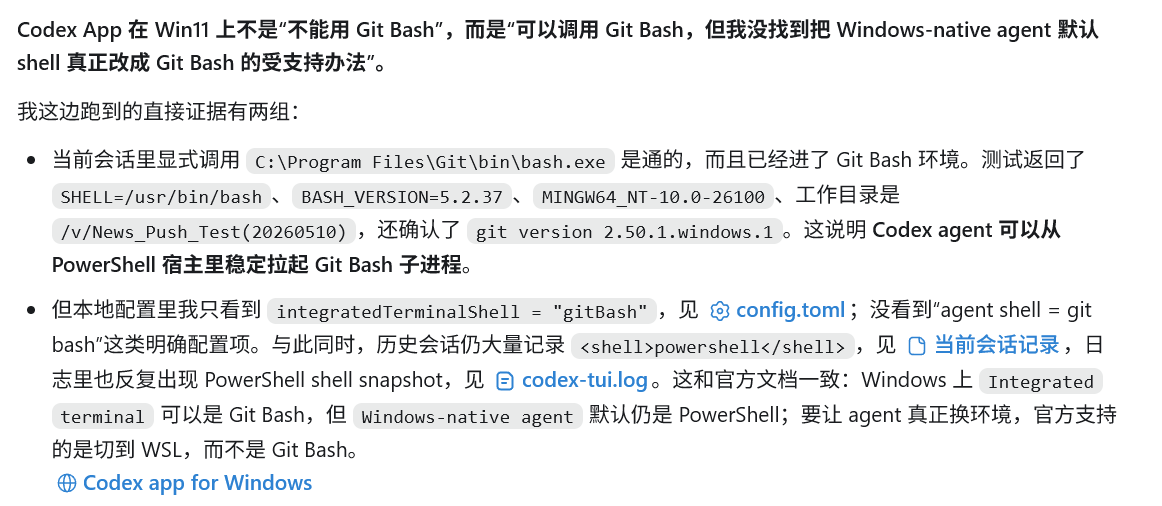
不太想用wsl因为会话历史记录都在win11环境下,感觉迁移稍微有点麻烦(而且好像性能也没那么好?不知道是不是codex app的问题,应该用cli就没问题可能)
我前几天也是看了社区里的帖子,想着切到 WSL 环境可能会更稳定一点,就专门安装了 WSL,并把相关开发环境都配置好了。结果实际体验非常差,Codex App 卡顿特别严重,简单交互都要等很久,甚至会拖慢整个 Windows 主系统,连移动鼠标都会明显卡顿。
另外,WSL 的迁移成本也比想象中高很多。通过 /mnt 访问 Windows 下的项目文件本身就不太方便,Node 环境、包管理器、Git 配置、SSH Key、代理配置等也基本都要重新配置一遍。更麻烦的是,WSL 环境和 Windows 原生环境之间还容易出现各种冲突。折腾了一圈之后,最后还是放弃了。
看着真要完全迁移到wsl感觉也有点麻烦,虽然我已经做了一部分了 ^-^


 XIBTS 06-13 08:123楼