我也是最近开始嫖opus和febal才开始用cc cli的,现在还在摸索,现在的AI Agent全是在Linux和unix下设计的,感觉完全没有考虑Windows,用起来太折磨了。
首当其冲的就是 ^-^
powershell 狗屎一样的渲染
直接不要犹豫,换Windows Terminal + powershell 7
详见教程 《 Claude Code 终极版 FAQ 指南 》 ,这里面有教,我就懒得写了
Win自带的蓝绿powershell我早都已经扔了
接着就是 乱码
执行什么powershell 全是乱码,都是中文字乱码,问了一下说是系统是GB2312
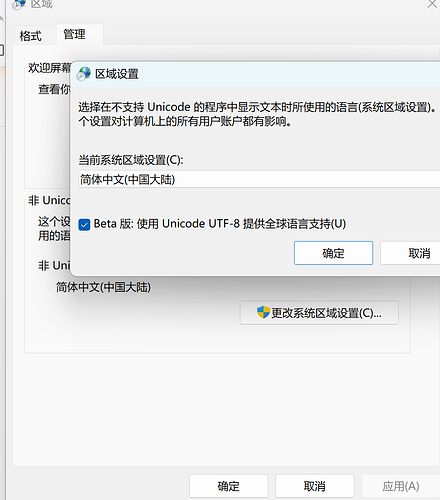
要到 区域 (搜索就能出来) —> 管理 —> 区域设置 —> 启用最下面的UTF-8
保存后需要重启才生效,以前说是开启后,有些旧软件会不得行,现在也管不了这么多了,老东西就淘汰掉吧
接下来就是 Claude Code 自带非要执行git bash
BYD这几天整天给我用git bash,每次生成什么临时文件就要跑到Linux下的/tmp,每次找东西就是先跑去找Linux下的目录,然后发现找不到,又思考了一下发现是Windows,又换一种方法,用什么 /C/目录 /D/目录
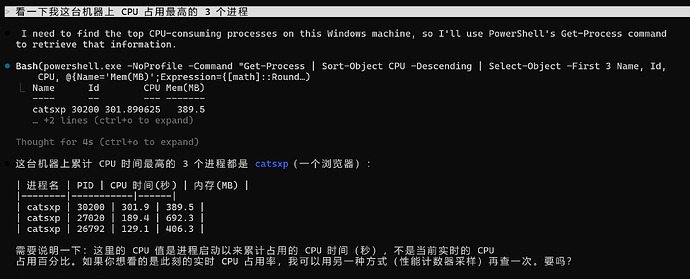
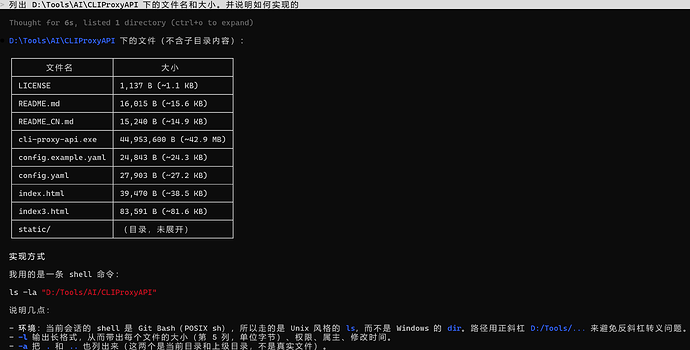
解决方法
//"C:\Users\用户\.claude\settings.json"


  "env": {

    "DISABLE_INSTALLATION_CHECKS": "1",

    "ENABLE_TOOL_SEARCH": "1",

    "CLAUDE_CODE_DISABLE_NONESSENTIAL_TRAFFIC": "0",

    "CLAUDE_CODE_ATTRIBUTION_HEADER": "0",

    "CLAUDE_CODE_USE_POWERSHELL_TOOL": "1" //在你的环境变量里加上这条,优先使用powershell

  },
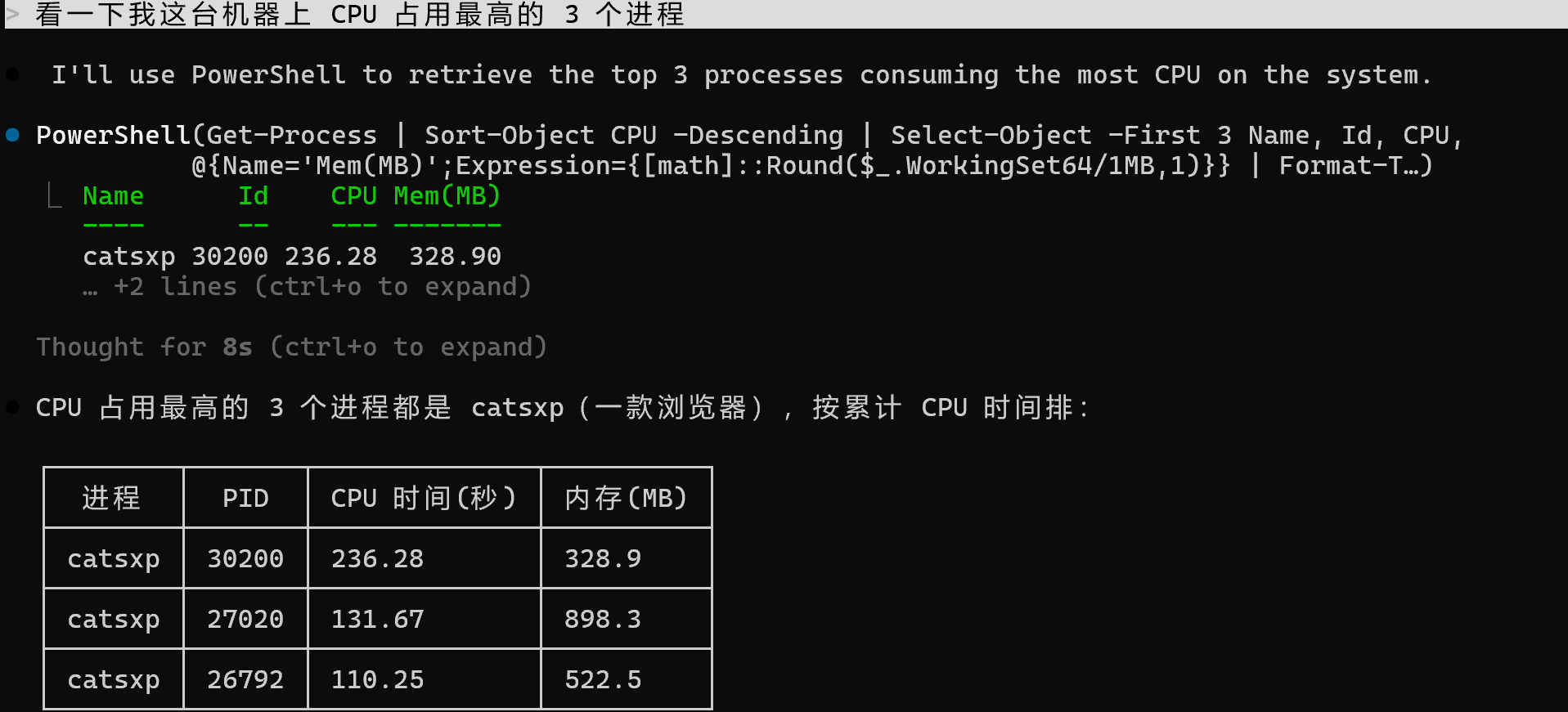
关掉重新开Claude,就直接用powershell了,我两次都是在不同的全新目录 运行的
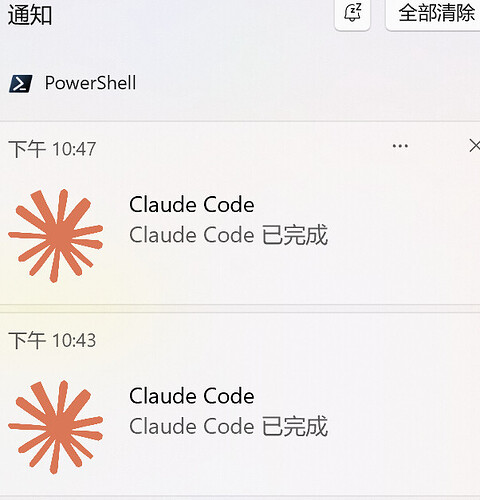
通知提醒
从codex app换到 Claude Code,每次完成或者需要权限都不通知我,搞得我每次都得去看
使用Claude的原生的hook,可以在需要手动操作或完整后使用Windows11通知你
//"C:\Users\用户\.claude\settings.json"
//加上下面的,我使用的是powershell 7写的,而且需要安装一个BurntToast进行推送,具体方法问AI就行

"hooks": {
"Notification": [
{
"matcher": "permission_prompt",
"hooks": [
{
"type": "command",
"command": "pwsh.exe -NoProfile -ExecutionPolicy Bypass -Command \"Import-Module BurntToast; New-BurntToastNotification -Text 'Claude Code', 'Claude Code 需要审批' -AppLogo 'C:\\Users\\用户\\.claude\\claude.png'\""
}
]
}
],
"Stop": [
{
"hooks": [
{
"type": "command",
"command": "pwsh.exe -NoProfile -ExecutionPolicy Bypass -Command \"Import-Module BurntToast; New-BurntToastNotification -Text 'Claude Code', 'Claude Code 已完成' -AppLogo 'C:\\Users\\用户\\.claude\\claude.png'\""
}
]
}
]
},
图片自己保存



 Crixs 06-13 23:252楼
 fimmy 06-13 23:263楼
 哈雷彗星 06-13 23:324楼