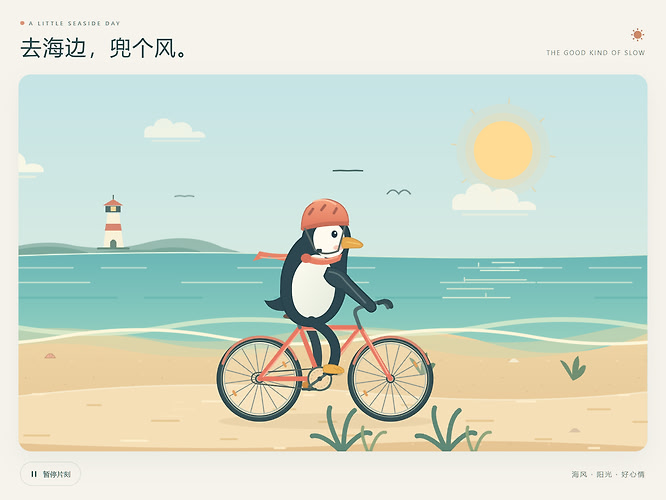
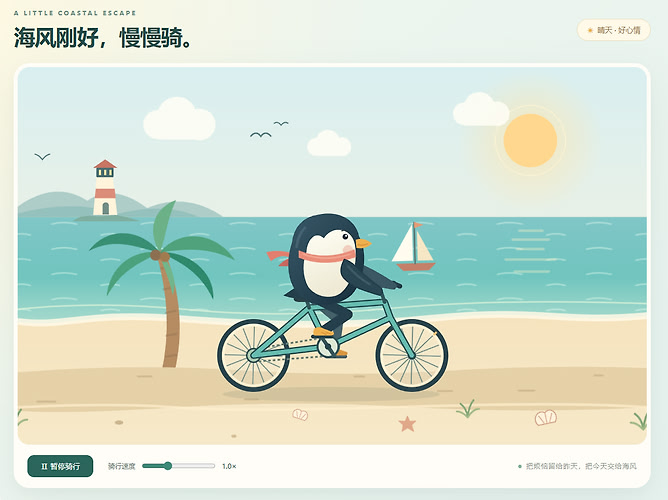
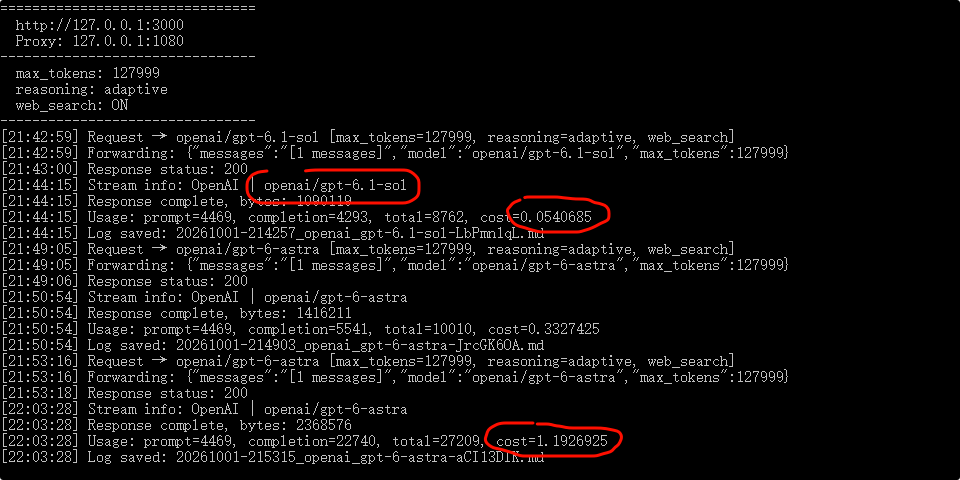
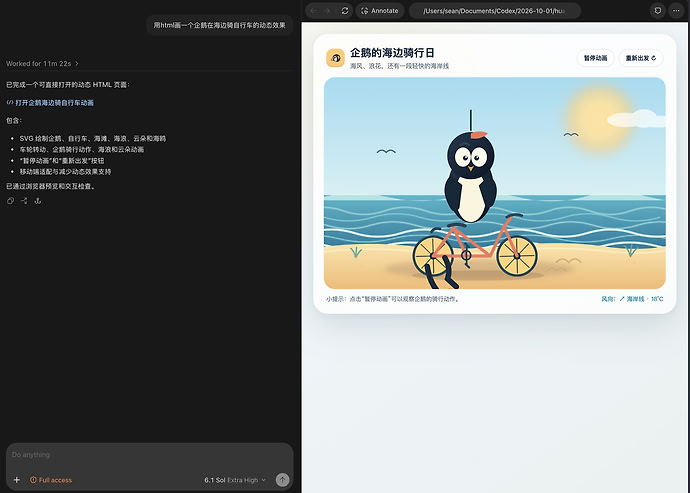
HTML 源码
<!DOCTYPE html>

<html lang="zh-CN">

<head>

<meta charset="UTF-8">

<meta name="viewport" content="width=device-width, initial-scale=1">

<title>企鹅的海边骑行</title>

<style>

  * { box-sizing: border-box; }

  body {

    margin: 0;

    min-height: 100vh;

    display: grid;

    place-items: center;

    background: #e9f5fa;

    font-family: system-ui, "Microsoft YaHei", sans-serif;

    color: #254c61;

  }

  .card {

    width: min(1000px, 96vw);

    overflow: hidden;

    border-radius: 24px;

    background: white;

    box-shadow: 0 20px 70px #254c6120;

  }

  header {

    padding: 22px 28px 14px;

    display: flex;

    align-items: center;

    justify-content: space-between;

    gap: 12px;

  }

  h1 { margin: 0; font-size: clamp(19px, 3vw, 27px); }

  header span { font-size: 13px; color: #7895a5; }

  canvas {

    display: block;

    width: 100%;

    aspect-ratio: 960 / 600;

  }

  .controls {

    display: flex;

    align-items: center;

    justify-content: center;

    flex-wrap: wrap;

    gap: 20px;

    padding: 18px;

  }

  button {

    border: 0;

    border-radius: 30px;

    padding: 10px 24px;

    background: #277e98;

    color: white;

    font: inherit;

    cursor: pointer;

  }

  button:hover { background: #20687e; }

  label { display: flex; align-items: center; gap: 10px; font-size: 14px; }

  input { width: 130px; accent-color: #277e98; }

</style>

</head>

<body>

<main class="card">

  <header>

    <h1>🐧 企鹅的海边骑行</h1>

    <span>海风正好,快乐出发</span>

  </header>

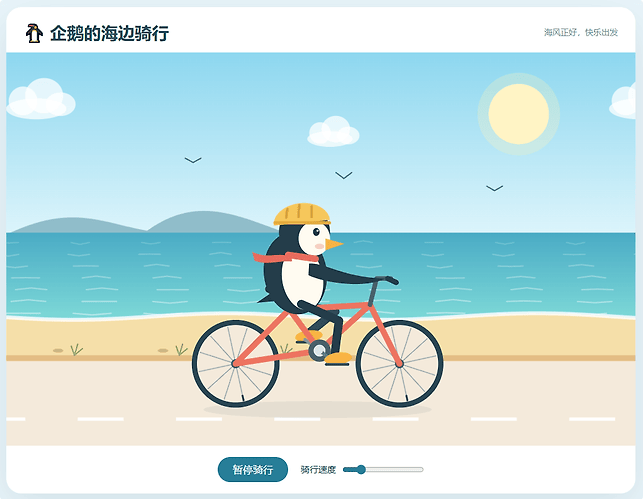
  <canvas id="scene" aria-label="企鹅在海边踩着自行车,海浪和云朵缓缓移动"></canvas>

  <div class="controls">

    <button id="toggle">暂停骑行</button>

    <label>骑行速度

      <input id="speed" type="range" min="0.4" max="2.5" step="0.1" value="1">

    </label>

  </div>

</main>


<script>

const canvas = document.getElementById("scene");

const ctx = canvas.getContext("2d");

const W = 960, H = 600;

let time = 0, last = 0, running = true;

const speed = document.getElementById("speed");


function resize() {

  const dpr = Math.min(window.devicePixelRatio || 1, 2);

  canvas.width = Math.round(canvas.clientWidth * dpr);

  canvas.height = Math.round(canvas.clientHeight * dpr);

}

window.addEventListener("resize", resize);

resize();


document.getElementById("toggle").onclick = function () {

  running = !running;

  this.textContent = running ? "暂停骑行" : "继续骑行";

};


function ellipse(x, y, rx, ry, color, angle = 0) {

  ctx.beginPath();

  ctx.ellipse(x, y, rx, ry, angle, 0, Math.PI * 2);

  ctx.fillStyle = color;

  ctx.fill();

}

function line(points, color, width = 3) {

  ctx.beginPath();

  points.forEach(([x, y], i) => i ? ctx.lineTo(x, y) : ctx.moveTo(x, y));

  ctx.strokeStyle = color;

  ctx.lineWidth = width;

  ctx.lineCap = "round";

  ctx.lineJoin = "round";

  ctx.stroke();

}

function gradient(y1, y2, a, b) {

  const g = ctx.createLinearGradient(0, y1, 0, y2);

  g.addColorStop(0, a);

  g.addColorStop(1, b);

  return g;

}

function cloud(x, y, s) {

  ctx.save();

  ctx.translate(x, y);

  ctx.scale(s, s);

  ellipse(0, 0, 46, 16, "#ffffffbb");

  ellipse(-20, -12, 22, 22, "#ffffffbb");

  ellipse(12, -20, 29, 27, "#ffffffbb");

  ellipse(37, -7, 23, 18, "#ffffffbb");

  ctx.restore();

}


function background(t) {

  // 天空与太阳

  ctx.fillStyle = gradient(0, 310, "#8dd7ef", "#e6f8fc");

  ctx.fillRect(0, 0, W, H);

  ellipse(782, 94, 63, 63, "#fff3bd44");

  ellipse(782, 94, 46, 46, "#fff4c5");


  cloud(160 - (t * 9 % 1180), 86, 1);

  cloud(570 - (t * 6 % 1180), 132, .75);

  cloud(1080 - (t * 9 % 1180), 86, 1);


  // 远处岛屿

  ctx.beginPath();

  ctx.moveTo(0, 278);

  ctx.bezierCurveTo(100, 230, 145, 260, 215, 272);

  ctx.bezierCurveTo(295, 214, 360, 253, 435, 278);

  ctx.fillStyle = "#90bdca";

  ctx.fill();


  // 大海

  ctx.fillStyle = gradient(275, 420, "#4aabc5", "#83ddd9");

  ctx.fillRect(0, 275, W, 155);


  // 闪烁、移动的海浪

  for (let row = 0; row < 7; row++) {

    const y = 290 + row * 18;

    for (let j = -1; j < 11; j++) {

      const x = j * 108 + Math.sin(t * .8 + row) * 14;

      const len = 28 + row * 5;

      line([

        [x, y],

        [x + len * .5, y + Math.sin(t * 2 + j + row) * 3],

        [x + len, y]

      ], `rgba(255,255,255,${.18 + row * .045})`, 2);

    }

  }


  // 沙滩与浪花

  ctx.fillStyle = "#f5dfa9";

  ctx.beginPath();

  ctx.moveTo(0, 403);

  for (let x = 0; x <= W; x += 12)

    ctx.lineTo(x, 403 + Math.sin(x / 75 + t * 1.5) * 5);

  ctx.lineTo(W, 480);

  ctx.lineTo(0, 480);

  ctx.closePath();

  ctx.fill();


  ctx.beginPath();

  for (let x = 0; x <= W; x += 10) {

    const y = 403 + Math.sin(x / 75 + t * 1.5) * 5;

    x ? ctx.lineTo(x, y) : ctx.moveTo(x, y);

  }

  ctx.strokeStyle = "#ffffffcc";

  ctx.lineWidth = 6;

  ctx.stroke();


  // 海鸥

  for (let i = 0; i < 3; i++) {

    const x = (180 + i * 230 + t * 13) % 1100 - 60;

    const y = 167 + i * 19 + Math.sin(t + i) * 7;

    const wing = Math.sin(t * 4 + i) * 5;

    line([[x - 12, y - 4 - wing], [x, y], [x + 12, y - 4 - wing]],

      "#537f91", 2);

  }


  // 海边骑行道

  ctx.fillStyle = "#e3bd84";

  ctx.fillRect(0, 462, W, 9);

  ctx.fillStyle = "#f4eadb";

  ctx.fillRect(0, 471, W, 129);

  ctx.fillStyle = "#ffffff";

  for (let i = -1; i < 10; i++) {

    const x = i * 150 - (t * 145 % 150);

    ctx.fillRect(x, 557, 70, 5);

  }


  // 随骑行掠过的小石头与草丛

  for (let i = 0; i < 8; i++) {

    const x = i * 160 - (t * 145 % 1280);

    ellipse(x, 455, 8, 3, "#cfb783");

    line([[x + 25, 462], [x + 20, 448]], "#8ca76c", 2);

    line([[x + 25, 462], [x + 30, 445]], "#8ca76c", 2);

    line([[x + 25, 462], [x + 37, 452]], "#8ca76c", 2);

  }

}


function wheel(x, y, angle) {

  ellipse(x, y, 67, 67, "#294653");

  ellipse(x, y, 59, 59, "#f4eadb");

  ctx.save();

  ctx.translate(x, y);

  ctx.rotate(angle);

  for (let i = 0; i < 12; i++) {

    const a = i * Math.PI / 6;

    line([[0, 0], [Math.cos(a) * 57, Math.sin(a) * 57]], "#9eb0b4", 1.5);

  }

  // 气门嘴随轮子旋转

  line([[0, -57], [0, -50]], "#294653", 3);

  ctx.restore();

  ellipse(x, y, 7, 7, "#416774");

}


function foot(x, y) {

  ellipse(x + 6, y - 5, 21, 9, "#f9b343", -.12);

  line([[x - 12, y + 4], [x + 21, y + 4]], "#344f5c", 4);

}


// 两段腿部,膝盖向前弯曲,脚始终跟随踏板

function leg(hip, target, color) {

  const dx = target.x - hip.x, dy = target.y - hip.y;

  const d = Math.hypot(dx, dy);

  const length = 63;

  const h = Math.sqrt(Math.max(0, length * length - d * d / 4));

  const knee = {

    x: (hip.x + target.x) / 2 + dy / d * h,

    y: (hip.y + target.y) / 2 - dx / d * h

  };

  line([[hip.x, hip.y], [knee.x, knee.y], [target.x, target.y - 5]],

    color, 13);

  foot(target.x, target.y);

}


function bicycle(t) {

  const phase = t * 5;

  const bob = Math.sin(phase * 2) * 2;

  const crank = { x: 478, y: 455 };

  const frontFoot = {

    x: crank.x + Math.cos(phase) * 28,

    y: crank.y + Math.sin(phase) * 28

  };

  const backFoot = {

    x: crank.x - Math.cos(phase) * 28,

    y: crank.y - Math.sin(phase) * 28

  };


  ellipse(475, 545, 174, 13, "#52687818");


  wheel(350, 475, t * 3.2);

  wheel(600, 475, t * 3.2);


  // 远侧腿和曲柄

  leg({ x: 440, y: 382 + bob }, backFoot, "#344b58");

  line([[crank.x, crank.y], [backFoot.x, backFoot.y]], "#84959c", 5);


  // 自行车车架

  const coral = "#ed7460";

  line([[350, 475], [432, 392], [478, 455], [350, 475]], coral, 9);

  line([[432, 392], [555, 385], [478, 455]], coral, 9);

  line([[555, 385], [600, 475]], coral, 9);

  line([[432, 392], [422, 363]], "#48616c", 7);

  line([[401, 361], [442, 361]], "#253e4b", 12);

  line([[555, 385], [565, 345], [587, 345]], "#48616c", 7);

  line([[582, 345], [595, 351]], "#253e4b", 8);

  ellipse(crank.x, crank.y, 17, 17, "#48616c");

  ellipse(crank.x, crank.y, 9, 9, "#dae3e4");


  // 企鹅身体轻轻上下晃动

  ctx.save();

  ctx.translate(0, bob);


  // 尾巴

  ctx.beginPath();

  ctx.moveTo(413, 359);

  ctx.lineTo(382, 380);

  ctx.lineTo(417, 377);

  ctx.fillStyle = "#233b48";

  ctx.fill();


  // 身体与白肚皮

  ellipse(441, 335, 48, 63, "#243d4a", -.15);

  ellipse(452, 343, 31, 48, "#fffaf0", -.17);


  // 头部

  ellipse(455, 272, 39, 40, "#243d4a");

  ellipse(470, 282, 24, 26, "#fffaf0");


  // 橙色小嘴

  ctx.beginPath();

  ctx.moveTo(487, 282);

  ctx.lineTo(516, 290);

  ctx.lineTo(487, 300);

  ctx.closePath();

  ctx.fillStyle = "#f6b344";

  ctx.fill();


  // 眼睛、高光与腮红

  ellipse(473, 272, 5, 6, "#203744");

  ellipse(475, 270, 1.5, 1.5, "white");

  ellipse(478, 294, 7, 4, "#f4a59988");


  // 小头盔

  ctx.beginPath();

  ctx.ellipse(451, 258, 43, 30, -.1, Math.PI, Math.PI * 2);

  ctx.closePath();

  ctx.fillStyle = "#f5c75c";

  ctx.fill();

  line([[410, 258], [493, 258]], "#e5ac3a", 5);

  line([[429, 237], [427, 250]], "#d8a23e", 4);

  line([[447, 231], [446, 249]], "#d8a23e", 4);

  line([[466, 233], [466, 249]], "#d8a23e", 4);


  // 围巾随风飘动

  line([[430, 307], [472, 313]], "#e96b61", 10);

  ctx.beginPath();

  ctx.moveTo(435, 309);

  ctx.bezierCurveTo(410, 303, 397, 310 + Math.sin(t * 6) * 5, 375, 302);

  ctx.lineTo(379, 316);

  ctx.bezierCurveTo(398, 320 + Math.sin(t * 6) * 5, 418, 315, 436, 317);

  ctx.fillStyle = "#e96b61";

  ctx.fill();


  // 握住车把的翅膀

  ctx.beginPath();

  ctx.moveTo(462, 320);

  ctx.bezierCurveTo(488, 319, 512, 341, 578, 345 - bob);

  ctx.bezierCurveTo(550, 358, 488, 351, 461, 338);

  ctx.closePath();

  ctx.fillStyle = "#243d4a";

  ctx.fill();

  ctx.restore();


  // 近侧腿、踏板与曲柄

  leg({ x: 450, y: 382 + bob }, frontFoot, "#243d4a");

  line([[crank.x, crank.y], [frontFoot.x, frontFoot.y]], "#607d88", 5);

  foot(frontFoot.x, frontFoot.y);

  ellipse(crank.x, crank.y, 5, 5, "#dce5e7");

}


function frame(now) {

  const dt = last ? Math.min((now - last) / 1000, .05) : 0;

  last = now;

  if (running) time += dt * Number(speed.value);


  ctx.setTransform(canvas.width / W, 0, 0, canvas.height / H, 0, 0);

  ctx.clearRect(0, 0, W, H);

  background(time);

  bicycle(time);

  requestAnimationFrame(frame);

}

requestAnimationFrame(frame);

</script>

</body>

</html>


 nogeorge 10-01 21:381楼
 jeffreyrs 10-01 21:382楼
 Rock Global 10-01 21:383楼
 点赞暴富 10-01 21:404楼
 林黛玉倒拔垂杨柳 10-01 21:486楼
 爱破坏的小怪兽 10-01 21:567楼
 jiangcoud 10-01 22:029楼
 SuperSL 10-01 22:0811楼