giffgaff 注册激活教程
前言
前一阵GPT验证需要一个国外手机号。一开始图便宜入了张"小白卡",结果听佬友说这类卡很容易炸号。刚好看到 giffgaff 卡价格也不贵,就又买了一张giffgaff实体卡,实际用下来发现:直接拿 giffgaff 卡注册的流程,比小白卡简单不少。下面就把完整的注册激活过程记录下来,分享给有需要的朋友。
一、激活
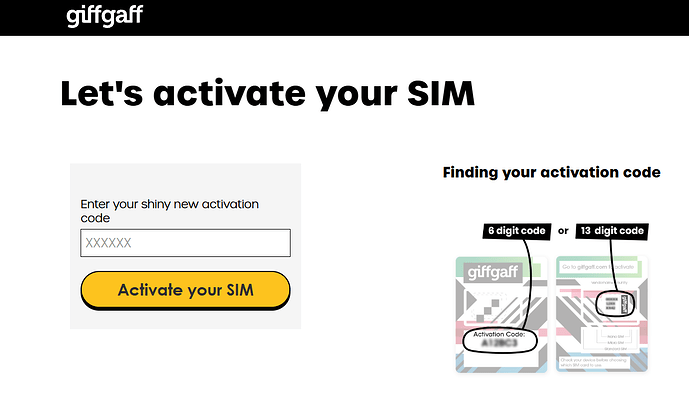
- 先不要插卡,清空浏览器缓存并重启,建议使用无痕模式。挂英国节点打开 SIM Activation | giffgaff ,输入卡片上的 6 位激活码,点击 Activate your SIM。
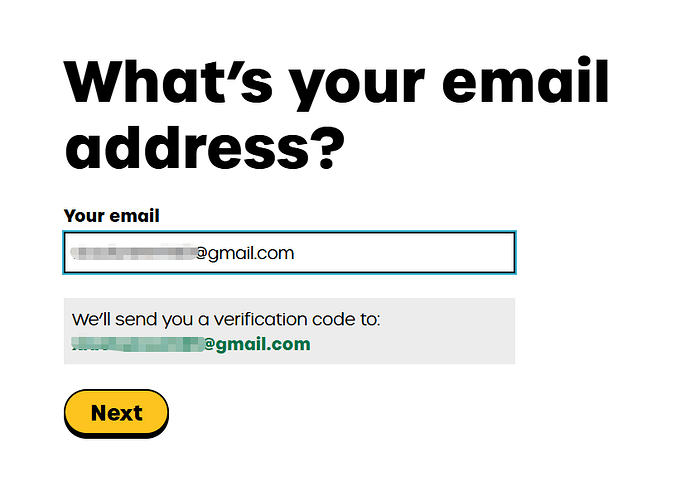
- 输入邮箱,点击 Next。
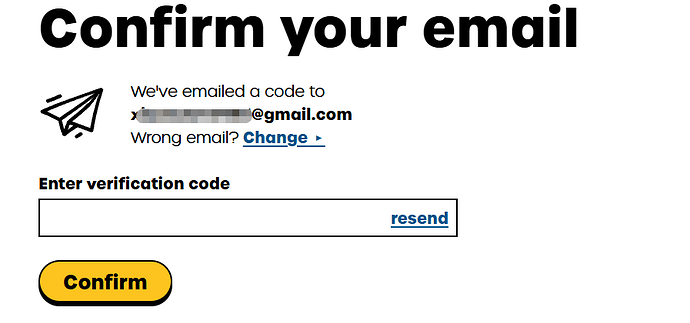
输入邮箱收到的验证码,点击 Confirm。
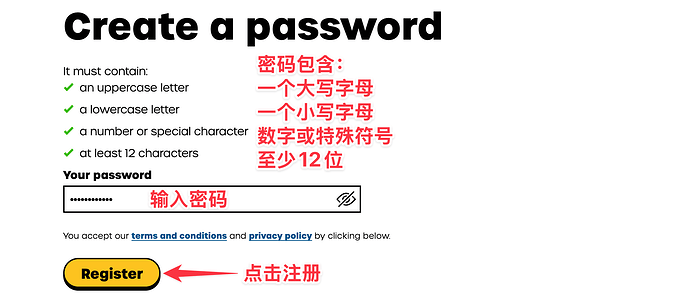
创建密码,点击 Register。
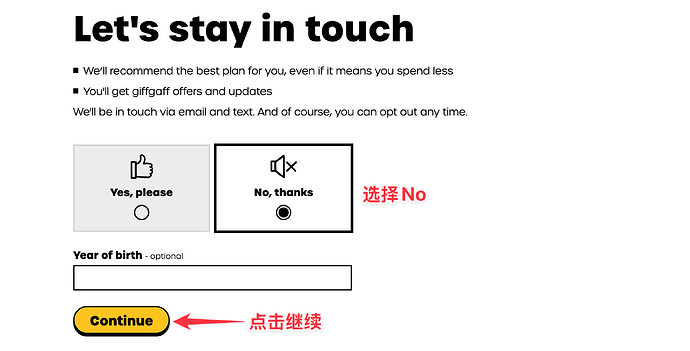
- 选择 No, thanks,点击 Continue。
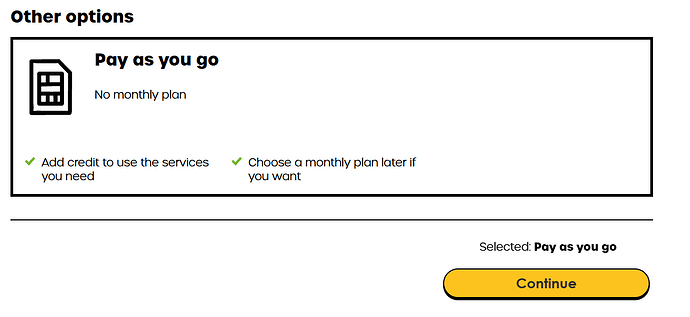
- 网页下拉至最底部,选择 Pay as you go,点击 Continue。
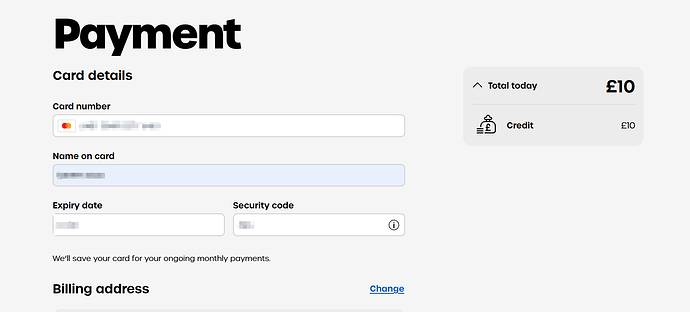
选择 10 英镑,点击 Pay now,使用多币种信用卡(VISA 或 MasterCard)进行充值。我这里用的是 fiat24;地址通过谷歌搜索"英国地址生成器"填写,填入邮编后会自动关联出一个地址。
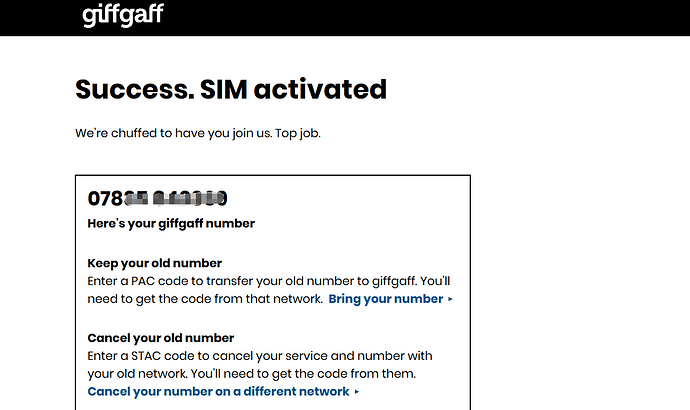
激活成功,拿到英国号码,078开头的那个(区号 +44)。注:日常使用时号码去掉前面的 0,登录官网或 App 时则加上 0。
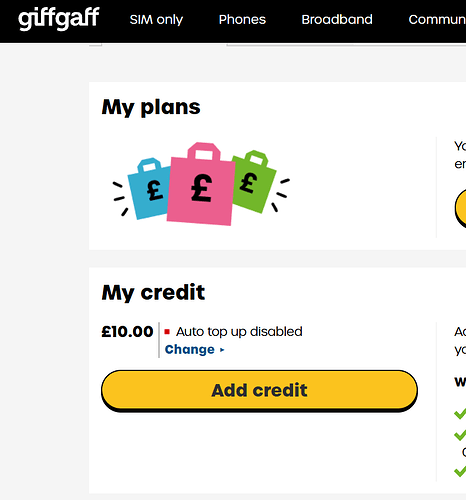
- 回到主页,显示余额即表示已激活,插卡等待信号即可。
二、获取 5 英镑
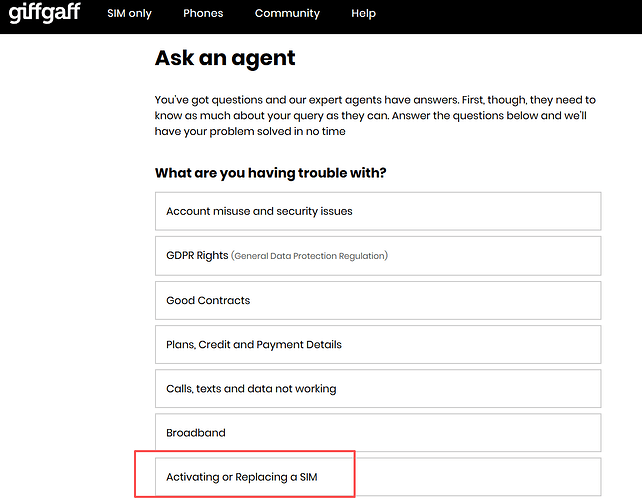
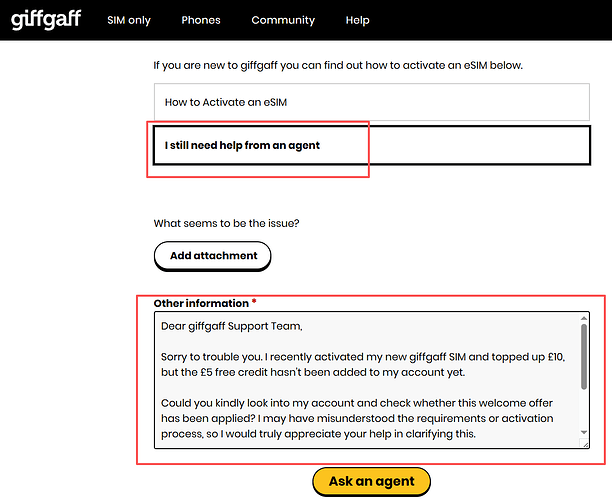
打开 giffgaff 客服工单系统 Log in | giffgaff ,依次选择 Activating or Replacing a SIM → 选择自己的用户 → I still need help from an agent,提交工单。giffgaff 客服通常会在 24 小时内 处理。附一个模板,可以让ai改一改:
Dear giffgaff Support Team,
Sorry to trouble you. I recently activated my new giffgaff SIM and topped up £10, but the £5 free credit hasn’t been added to my account yet.
Could you kindly look into my account and check whether this welcome offer has been applied? I may have misunderstood the requirements or activation process, so I would truly appreciate your help in clarifying this.
For your convenience, my details are:
- giffgaff mobile number: [your number here]
- Activation/ top-up date: [date here]
Thank you so much for your time and assistance. I really appreciate it!
三、保号
每 180 天内只要余额有变动(消费或充值),就会自动延长 180 天。可执行以下任一操作:
注意:刚激活的卡无需保号,因为激活充值时已经产生过消费了。
四、免费更换号码(2 次)
打开官网 Log in | giffgaff ,在英国时间申请更换号码,一般 10-20 分钟即可完成,手机收到成功提示和漫游短信即表示更换成功。切记号码是随机的,更换新号码后,旧号码将无法使用!
五、gg 卡的用途
注册 Telegram、WhatsApp 、gpt二验等。


 fish 06-24 18:131楼
 vickyy 06-24 18:132楼
 Mr Liao 06-24 18:153楼
 Neves_EX 06-24 18:164楼
 Attribute 06-24 18:175楼
 冉冉同学 06-24 18:196楼
 银河快递 06-24 18:238楼
 kjjll 06-24 18:269楼
 FredericMN 06-24 18:2911楼
 Crytex 06-24 18:5712楼