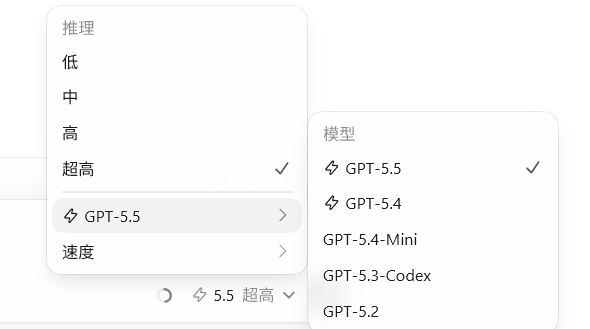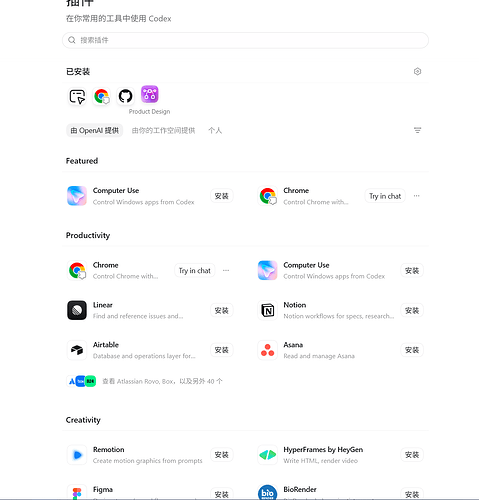
在codex app的api模式中,开放fast模式,以及所有插件的提示词,让codex帮你完成!

DiaoYuren 2026-07-10 00:16 1
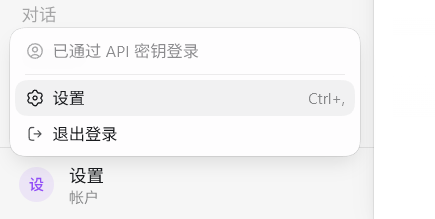
这是效果图:


提示词:


请在这台电脑上给 Codex app 做一个独立 patched 版本,不要改系统安装版。目标:


  1. 让 API key 模式也能显示和使用 Fast / Priority。

  2. 让 API key 模式下 Codex app 插件页显示官方 API curated 插件。

  3. 把本机已有的 openai curated / remote curated 插件全部暴露成一个本地 marketplace,包括 product-design。

  4. 不要让我在聊天里粘贴 token。若需要 ChatGPT/Codex 账号 token,只在 CodexPatched 目录下创建本地配置文件模板。


要求:


  • Windows 默认输出目录用:

    C:\Users<当前用户>\Downloads\Report\CodexPatched

  • 复制 Codex app 到 CodexPatched\app,不要覆盖 WindowsApps / 系统安装版。

  • 解包 app.asar 到临时目录,修改后重新 pack,并覆盖 CodexPatched\app\resources\app.asar。

  • 创建或更新 Codex Patched.lnk 指向 CodexPatched\app\Codex.exe。

  • 所有 JS 文件名带 hash,要用 rg 搜索,不要假设固定文件名。


Fast 相关补丁:


  • 搜索 use-service-tier-settings-.js / use-is-fast-mode-enabled-.js / general-settings-*.js。

  • 把只允许 chatgpt 的 auth 判断放宽为 chatgpt 或 apikey,例如:

    authMethod !== chatgpt

    改为:

    authMethod !== chatgpt && authMethod !== apikey

  • 如果 settings 里 Fast 行由 statsig/chatgpt gating 控制,找到对应函数,例如 Dt(),让它最终返回 true,确保设置页可见。

  • 修改后运行 node --check 验证。


插件相关补丁:


  • 搜索 webview/assets 下的 plugins-page-selectors-.js 和 use-plugins-.js。

  • 把 openai-api-curated 识别为 OpenAI 官方 / built-in marketplace。

  • 再额外把 openai-curated-remote-local 识别为官方 / built-in marketplace。

  • 修改后运行 node --check 验证。


全部插件暴露:


  • 在 CodexPatched 下创建同步器:

    sync-remote-plugins.mjs

    sync-remote-plugins.ps1

    plugin-account.json

    README-remote-plugins.md

  • plugin-account.json 默认不要放 token,include 设为空数组,表示全部:

    {

    “authFile”: “”,

    “accessToken”: “”,

    “chatgptAccountId”: “”,

    “baseUrl”: “https://chatgpt.com/backend-api”,

    “include”: ,

    “downloadMissing”: false,

    “install”:

    }

  • 同步器逻辑:

    1. 读取 ~/.codex/cache/remote_plugin_catalog/*.json 获取远端 catalog。

    2. 复制 ~/.codex/.tmp/plugins/plugins 下已有 openai-curated 本地插件。

    3. 复制 ~/.codex/plugins/cache/openai-curated-remote 下已有 remote curated 插件。

    4. remote curated 同名插件覆盖旧 curated。

    5. 生成:

      CodexPatched\plugin-marketplace.agents\plugins\marketplace.json

      marketplace 名称为 openai-curated-remote-local。

    6. 执行:

      codex plugin marketplace add C:…\CodexPatched\plugin-marketplace

    7. 不要伪造没有实体 bundle 的插件;没有 bundle 的 catalog 项先跳过。

    8. 如果以后用户提供 ChatGPT OAuth token,只能从 plugin-account.json 读取,不要打印 token,不要要求贴到聊天里。


验证:


  • node --check 修改过的 JS 和 sync-remote-plugins.mjs。

  • 运行:

    codex plugin marketplace list

    codex plugin list

  • 确认能看到:

    openai-api-curated

    openai-curated-remote-local

  • 确认 product-design@openai-curated-remote-local 可见。

  • 重新打包 app.asar 并覆盖 patched app。

  • 告诉我必须完全退出 Codex Patched 后重新打开。


最新回复 (7)
  • 无限自动机 07-10 00:17
    1

    这东西不是一个codex++就能搞定了吗?

  • DiaoYuren 楼主 07-10 00:18
    2

    没用过 ^-^ ,我孤陋寡闻了,哈哈!

  • 行思渐远 07-10 00:18
    3

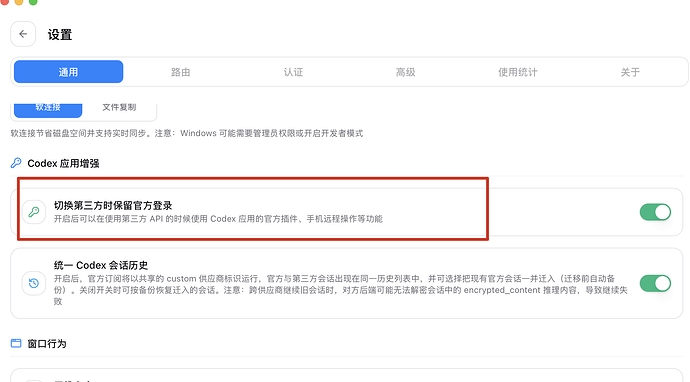
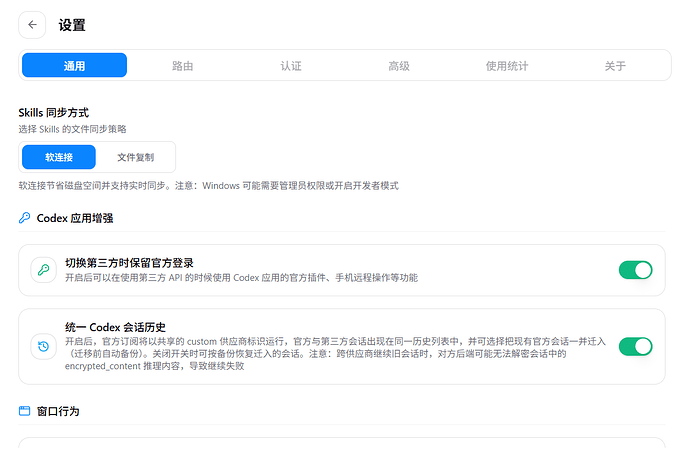
    现在用cc switch设置里开启codex增强就行了,手机远程codex,速率选择都自动开启,不需要破坏codex主程序

  • yepood 07-10 15:48
    4

    最新版的 api模式里面 codex++ fast里面不支持开启fast cc switch里面咋弄啊

  • 行思渐远 07-10 15:50
    5

    我不是建议用codex++,有点杂乱不堪,你更新cc switch最新版,里边有codex增强模式,只要登录一个免费账号,再开启这个功能,就能用速率选择、手机远程功能了,还不会破坏codex本体,也不会出现签名异常问题。


  • DiaoYuren 楼主 07-10 18:38
    6

    谢谢佬,学到了 ^-^


  • maryjoya 07-14 21:06
    7

    补丁的方案,那未来官方客户端更新咋办呢

* 帖子来源Linux.do
返回