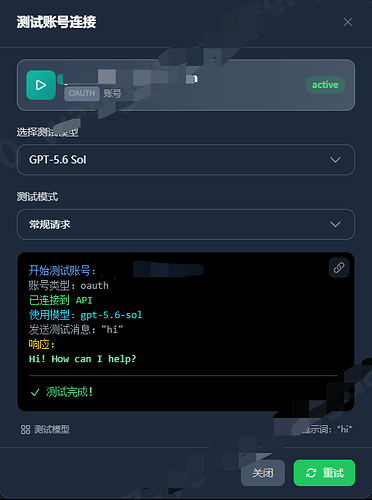
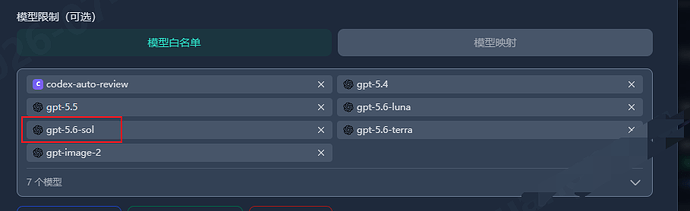
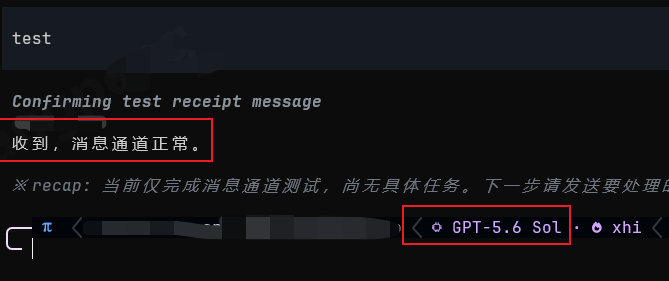
上游sub2api内“测试模型” gpt-5.6-sol 可用,但是下游比如omp配置后提示不可用,佬友们自行检查是否开启了“自动透传”,可以暂时关闭“自动透传”,再于“模型限制”栏把5.6系列模型手动添加好,更新配置,然后再打开“自动透传”,这个时候下游就可以正常访问!!!
上游sub2api表现如图:
下游omp表现如图:

sub2api 账号管理 编辑账号设置:
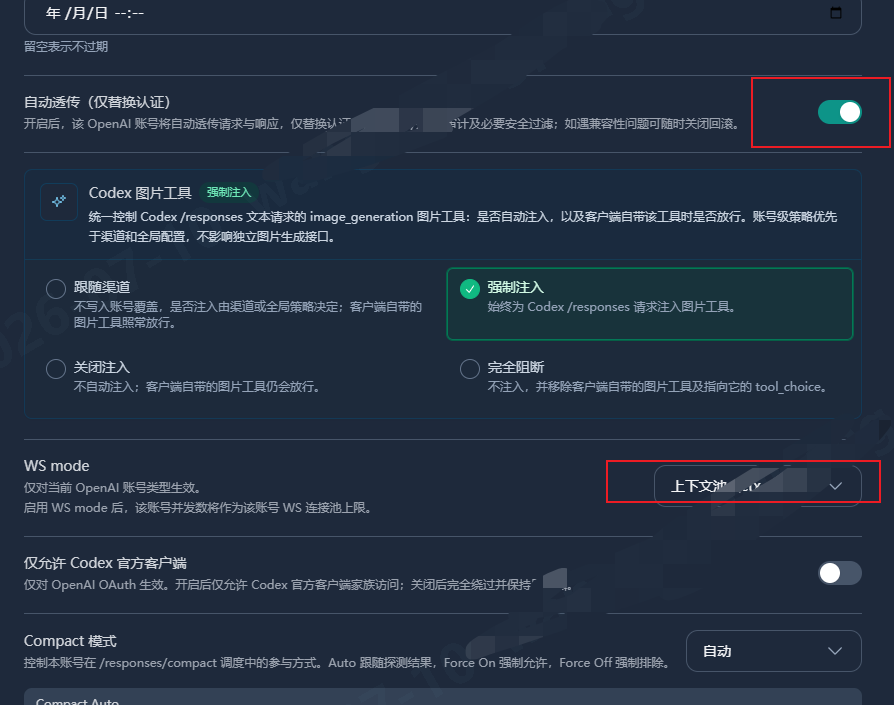
暂时关闭自动透传,在模型限制里添加 gpt5.6系列模型:
实测正常图:
omp内置模型参数如下,便于反代在下游使用配置相关参数,我比较关心的一般就是contextWindow及maxToken:
  # gpt-5.6-sol

  api: openai-codex-responses

  provider: openai-codex

  baseUrl: https://chatgpt.com/backend-api

  reasoning: true

  input: [text, image]

  contextWindow: 372000

  maxTokens: 128000

  preferWebsockets: true

  priority: 1

  applyPatchToolType: freeform

  remoteCompaction:

    enabled: true

    api: openai-codex-responses

    v2StreamingEnabled: true

  cost:

    input: 5

    output: 30

    cacheRead: 0.5

    cacheWrite: 6.25

  thinking:

    mode: effort

    efforts: [minimal, low, medium, high, xhigh]

    effortMap:

      minimal: low

      low: medium

      medium: high

      high: xhigh

      xhigh: max
  # gpt-5.6-terra

  api: openai-codex-responses

  provider: openai-codex

  baseUrl: https://chatgpt.com/backend-api

  reasoning: true

  input: [text, image]

  contextWindow: 372000

  maxTokens: 128000

  preferWebsockets: true

  priority: 2

  applyPatchToolType: freeform

  remoteCompaction:

    enabled: true

    api: openai-codex-responses

    v2StreamingEnabled: true

  cost:

    input: 2.5

    output: 15

    cacheRead: 0.25

    cacheWrite: 3.125

  thinking:

    mode: effort

    efforts: [minimal, low, medium, high, xhigh]

    effortMap:

      minimal: low → medium → high → xhigh → max
  # gpt-5.6-luna

  api: openai-codex-responses

  provider: openai-codex

  baseUrl: https://chatgpt.com/backend-api

  reasoning: true

  input: [text, image]

  contextWindow: 372000

  maxTokens: 128000

  preferWebsockets: true

  priority: 3

  applyPatchToolType: freeform

  remoteCompaction:

    enabled: true

    api: openai-codex-responses

    v2StreamingEnabled: true

  cost:

    input: 1

    output: 6

    cacheRead: 0.1

    cacheWrite: 1.25

  thinking:

    mode: effort

    efforts: [minimal, low, medium, high, xhigh]

    effortMap: minimal→low→medium→high→xhigh→max


 YUNXU 07-23 01:331楼