从 【教程】我不允许你没有炫酷的小尾巴! - 搞七捻三 - LINUX DO 继续讨论
- 首先要知道如何开启小尾巴设定,上面教程有就不复述
- 需要访问到一个可以将签名转成带轨迹的svg或json
此处放一个示例gif
由于网站内含付费内容可能涉嫌推广,这里不放链接,可百度:实时签名生成 就能找到
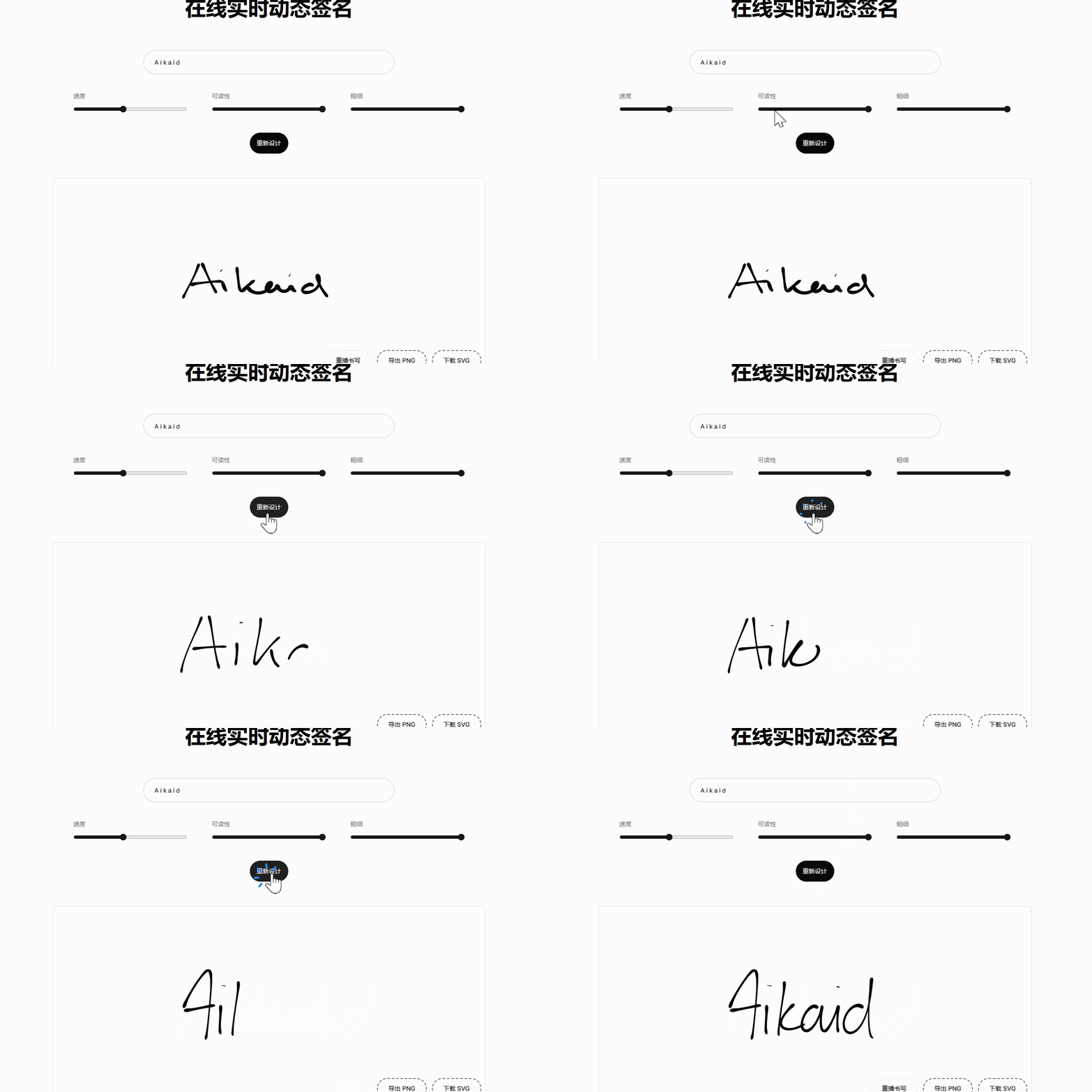
3.打开F12,在控制台输入以下脚本
(() => {

    const svg = document.querySelector("#canvas");

    const group = document.querySelector("#canvas-strokes");


    if (!svg || !group) {

      console.error("没找到 #canvas 或 #canvas-strokes");

      return;

    }


    window.__sigObs?.disconnect?.();


    const t0 = performance.now();

    const paths = [];


    const record = (p) => {

      const d = p.getAttribute("d");

      if (!d) return;

      paths.push({

        t: Math.round(performance.now() - t0),

        d,

        style: p.getAttribute("style") || "stroke: black; fill: black;",

      });

    };


    const obs = new MutationObserver((list) => {

      for (const m of list) {

        for (const n of m.addedNodes) {

          if (n.nodeType !== 1) continue;

          if (n.matches?.("path")) record(n);

          n.querySelectorAll?.("path").forEach(record);

        }

      }

    });


    obs.observe(group, { childList: true, subtree: true });


    window.done = () => {

      obs.disconnect();


      const b = group.getBBox();

      const data = {

        capturedAt: new Date().toISOString(),

        source: location.href,

        viewBox: svg.getAttribute("viewBox"),

        bbox: {

          x: +b.x.toFixed(3),

          y: +b.y.toFixed(3),

          width: +b.width.toFixed(3),

          height: +b.height.toFixed(3),

        },

        count: paths.length,

        paths,

      };


      const blob = new Blob([JSON.stringify(data, null, 2)], {

        type: "application/json",

      });


      const a = document.createElement("a");

      a.href = URL.createObjectURL(blob);

      a.download = "aikaid-live-paths.json";

      a.click();

      URL.revokeObjectURL(a.href);

    };


      console.log("已清空记录");

    };
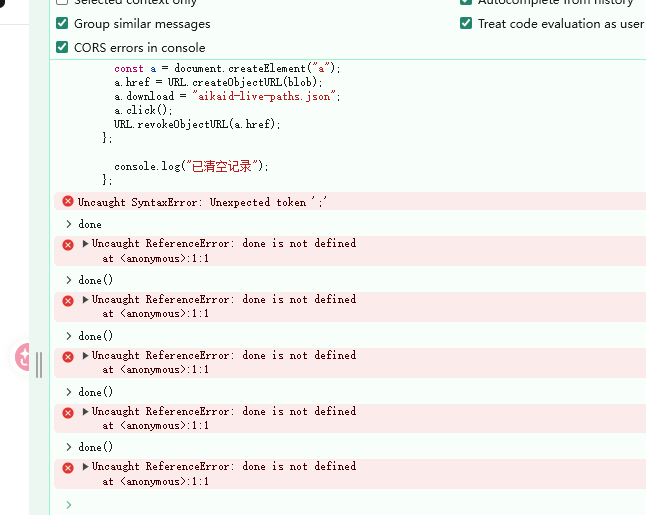
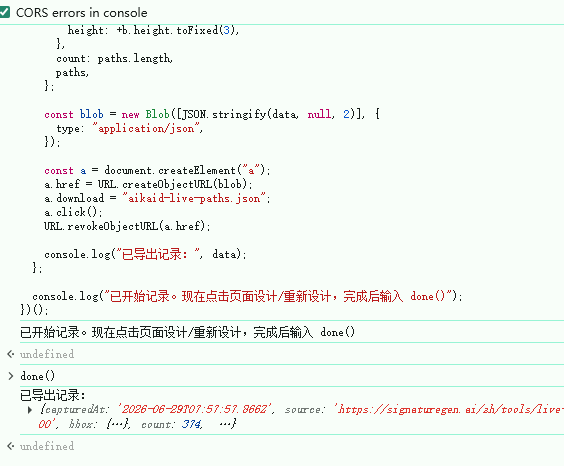
4.输入完脚本后,点击页面设计或者重新设计,然后再控制台输入 done()
然后就会自动下载一个含轨迹的json
5.打开你的Codex或者Gemini或者其他AI,发送相关提示词
我现在有一个签名笔记轨迹json,结构如xx文件,根据我提供的笔迹 JSON,把 paths.d 原样转成 SVG path,并按 paths.t 用 CSS keyframes 做逐帧书写动画;不要重画字,不要用字体,不要用animate,输出一个680x84 的xx风格动态SVG。
6.然后就会获得一个动态书写的svg成品图,本地预览效果没问题后,可将svg复制发送在评论区,然后右键图片复制图片链接,在填入自己的小尾巴即可拥有自己的独特的小尾巴了~


 奎因 06-16 17:251楼
 Lee7777777 06-16 17:283楼
 你叽里咕噜说啥呢 06-29 15:598楼
 于大宝 06-29 17:0312楼
 GlitterX 06-30 15:5814楼
 Big Bang 07-01 10:3015楼


 我也发个看看