闲来无聊,想在我的办公老机上试试Gemma4,对于办公无网环境还是有不少用处的,毕竟不是什么事都需要顶级模型。
我跑通的是unsloth/gemma-4-26B-A4B-it-qat-UD-Q4_K_XL F16精度,带视觉推理
先介绍一下运行环境:
- 硬件:购置于2018年的炫龙DD2游戏本,配置为i5-8400 | 16G | GTX1050Ti 4G(Laptop) | 128G固态+1T机械硬盘,加装过1根DDR4内存条,运行频率2400MHz
- 软件:Windows10 LTSC,安装了CUDA 12.4,以及对应版本的llama.app
为了能够兼顾能力和速度,我先后试了Google官方发的量化版12B、26B-A4B,最后找到了unsloth的微调版,主要在于其MTP运行能再降低一些压力,提高速度(虽然目前跑下来还是只有5~7token/s)
以下是跑对话的截图:
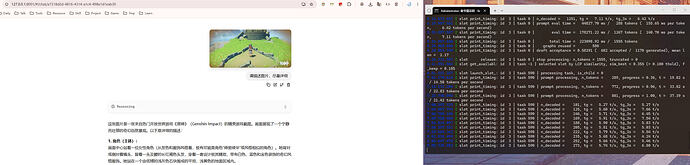
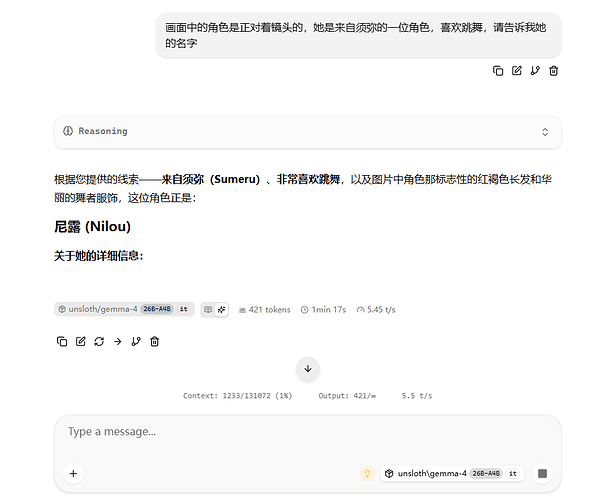
启动命令:
llama-server --model unsloth\gemma-4-26B-A4B-it-qat\gemma-4-26B-A4B-it-qat-UD-Q4_K_XL.gguf \

 --mmproj unsloth\gemma-4-26B-A4B-it-qat\mmproj-F16.gguf \

 --model-draft unsloth\gemma-4-26B-A4B-it-qat\mtp-gemma-4-26B-A4B-it.gguf \

 --temp 1.0 \

 --top-p 0.95 \

 --top-k 64 \

 --alias "unsloth\gemma-4-26B-A4B-it" \

 --host 127.0.0.1 \

 --port 8001 \

 -c 131072 \

 --spec-type draft-mtp \

 --spec-draft-n-max 2 \

 --reasoning on
目前简单测试能当个玩具,沟通对话什么的没问题,真正干活还得再优化,内存基本跑满了。
有什么更好的建议还请大佬路过时不要吝惜评论啊,没找到比较好的讨论或者教程

 好好吃飯 07-02 16:491楼
 automan 07-02 17:312楼