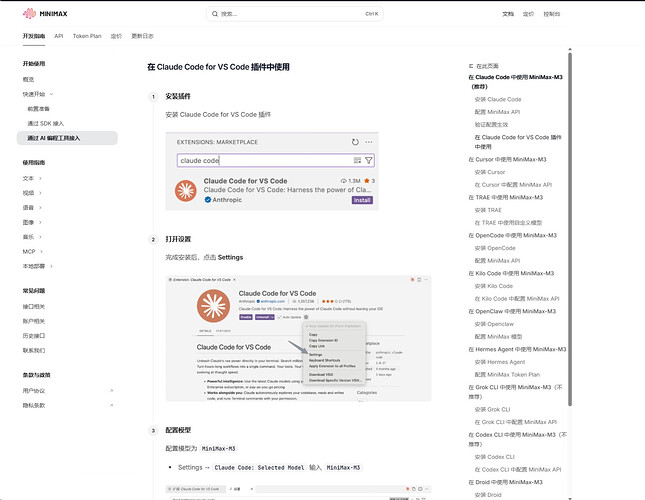
佬可以参照官方文档补充下?
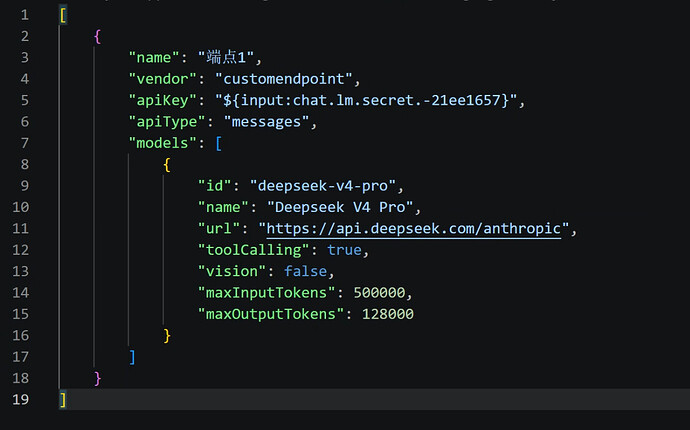
一个更通用的配置可能如下,包括思考等级的配置:
(deepseek虽然默认开启思考模式,但思考等级如 high 和 max 的切换还是需要显式配置和指定的)
{

  "name": "xxx",

  "vendor": "customendpoint",

  "apiKey": "${input:chat.lm.secret.-6046024e}",

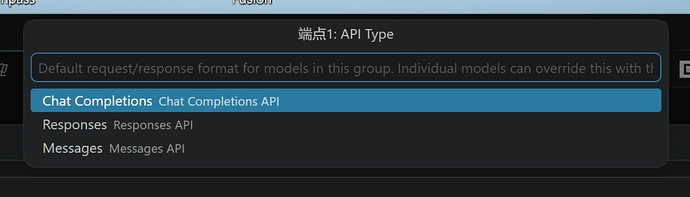
  "apiType": "chat-completions",

  "models": [

    {

      "id": "xxx",

      "name": "xxx",

      "url": "xxx",

      "toolCalling": true,

      "vision": true,

      "maxInputTokens": 200000,

      "maxOutputTokens": 62144,

      "thinking": true,

      "streaming": true,  //流式传输

      "reasoningEffortFormat": "chat-completions",

      "supportsReasoningEffort": ["none", "low", "medium", "high", "xhigh"] //按需调整

    }

  ]

}
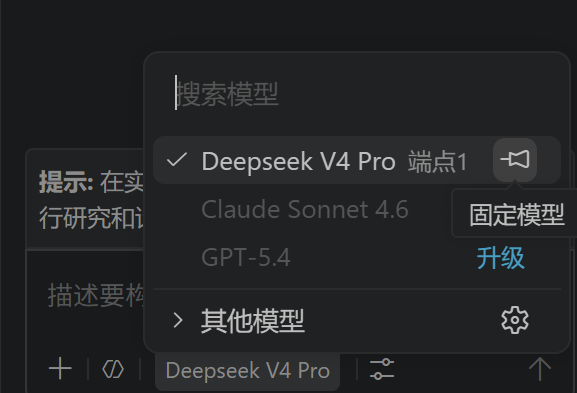
给出一个 deepseek 的参考示例,没使用 Anthropic 端口的原因主要在于,reasoningEffortFormat没有给出对应 anthropic 的参数,不确定是否支持相应的切换
{

  "name": "DeepSeek",

  "vendor": "customendpoint",

  "apiKey": "${input:chat.lm.secret.-384b5a08}",

  "apiType": "chat-completions",

  "models": [

    {

      "id": "deepseek-v4-pro",

      "name": "Deepseek-V4-Pro",

      "url": "https://api.deepseek.com",

      "toolCalling": true,

      "vision": false,

      "streaming": true,

      "thinking": true,

      "maxInputTokens": 700000,

      "maxOutputTokens": 300000,

      "reasoningEffortFormat": "chat-completions",

      "supportsReasoningEffort": ["high", "max"]

    },

    {

      "id": "deepseek-v4-flash",

      "name": "Deepseek-V4-Flash",

      "url": "https://api.deepseek.com",

      "toolCalling": true,

      "vision": false,

      "streaming": true,

      "thinking": true,

      "maxInputTokens": 700000,

      "maxOutputTokens": 300000,

      "reasoningEffortFormat": "chat-completions",

      "supportsReasoningEffort": ["high", "max"]

    }

  ]

}
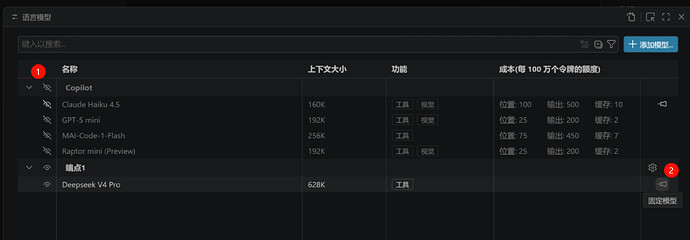
顺便,vscode 的上下文大小似乎是按maxInputTokens + maxOutputTokens算的(错了当我没说
所以不要让两者之和超过模型上下文大小
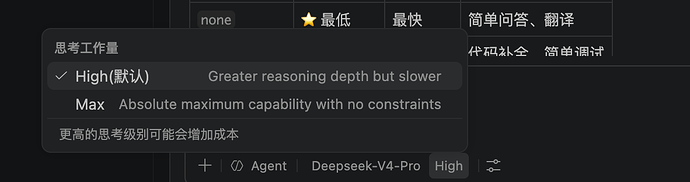
不过还是会推荐用插件,能提供更细颗粒度的配置和行为操控
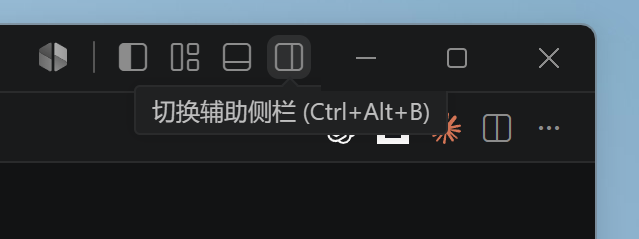
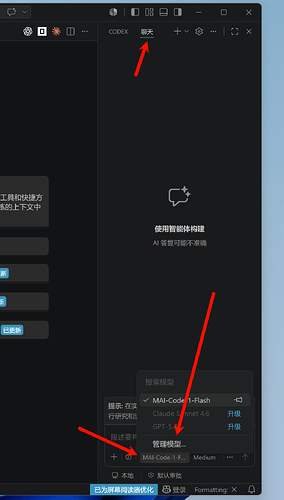
但是第三方插件不能在新的 agent windows 里使用) ^-^


 西西 06-04 14:212楼
 qihaozhan 06-04 16:563楼
 猫南北 06-04 19:554楼
 鸡哥 06-04 22:525楼
 冰冻芋头 06-04 23:386楼
 lemonpop 06-08 23:498楼
 ldm2060 06-09 04:009楼