Omarchy Quattro 正式版发布了,顺便分享自己给 Quattro 定制的 Clash TUI

ourongxing 2026-08-15 12:47 1
 ██████╗ ███╗   ███╗ █████╗ ███████╗██╗  ██╗
██╔═══██╗████╗ ████║██╔══██╗██╔════╝██║ ██║
██║ ██║██╔████╔██║███████║███████╗███████║
██║ ██║██║╚██╔╝██║██╔══██║╚════██║██╔══██║
╚██████╔╝██║ ╚═╝ ██║██║ ██║███████║██║ ██║
╚═════╝ ╚═╝ ╚═╝╚═╝ ╚═╝╚══════╝╚═╝ ╚═╝


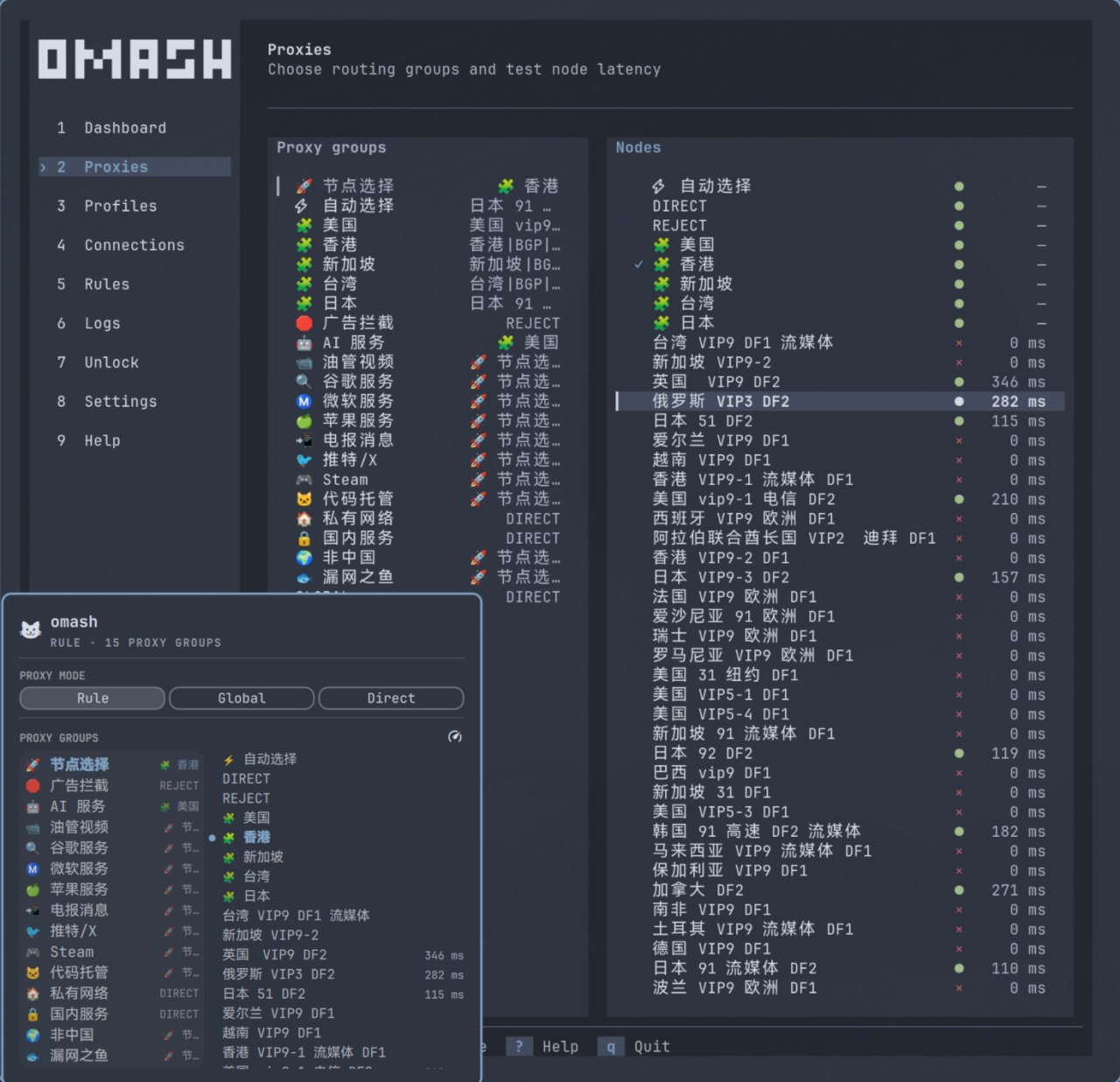
omash with a blue Omarchy theme
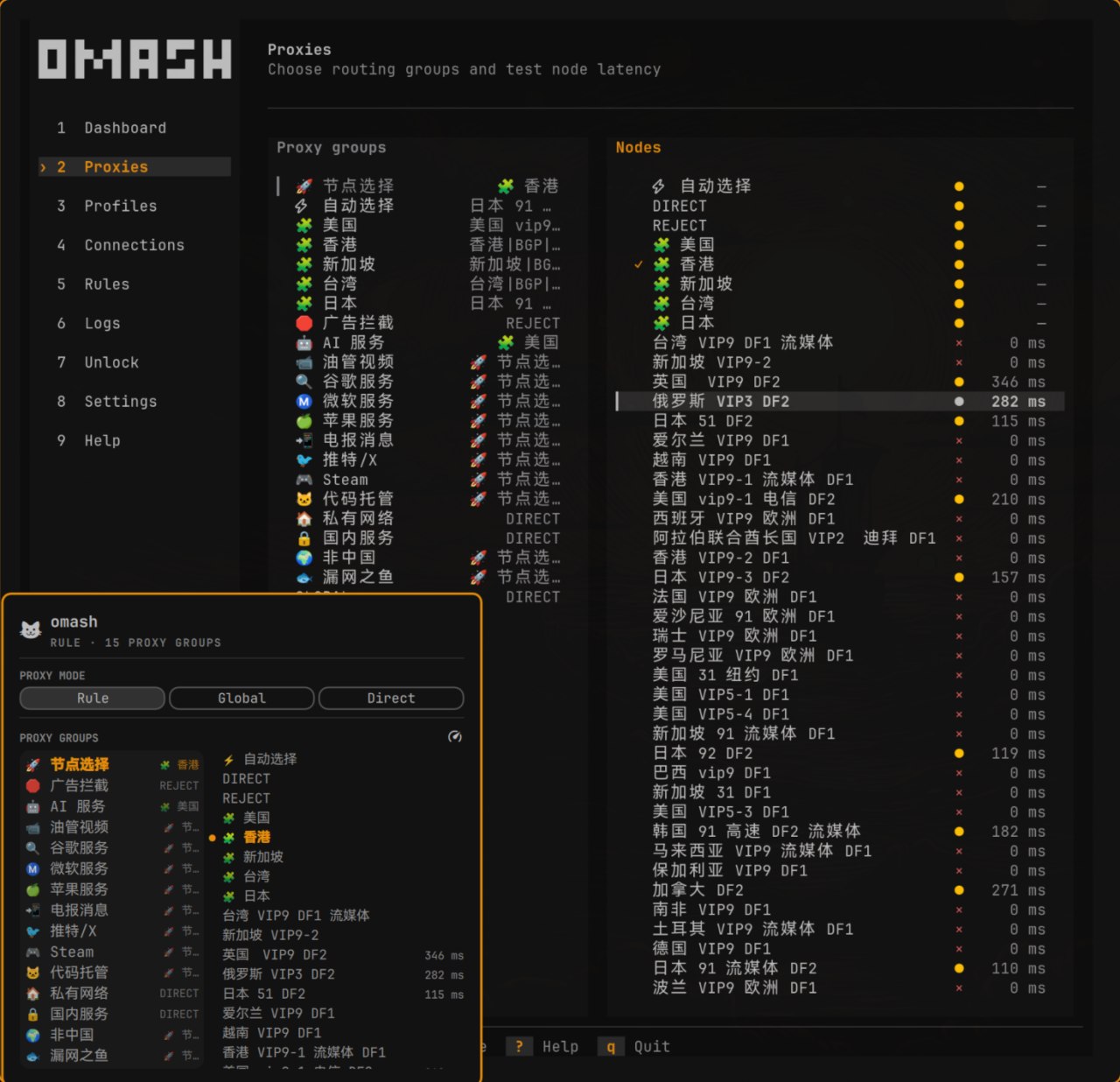
omash with an orange Omarchy theme


omash 基于 Clash Verge Rev 的 Rust 代码开发,仅提供 TUI ,不依赖 Webview ,并针对 Omarchy 做了适配:


  • 自动跟随当前 Omarchy 主题,切换主题后实时更新

  • Mihomo 由 systemd 用户服务托管,关闭 TUI 后代理仍会继续运行

  • 支持订阅、节点选择、延迟测试、连接管理和日志查看

  • 支持 Rule 、Global 、Direct 模式

  • 支持系统代理、局域网、IPv6 、配置增强及定时更新

  • 附带 Omarchy Shell 状态栏插件,可以直接切换模式和节点

  • Mihomo 与 GeoIP 通过系统包管理,跟随 omarchy update 更新


安装:


  curl -fsSL https://raw.githubusercontent.com/ourongxing/omash/main/scripts/install | bash

也可以通过源码构建,


  omarchy pkg aur add mihomo clash-geoip

# Run these two commands only when Cargo is not already installed.
omarchy install dev-env rust
source "$HOME/.cargo/env"

git clone https://github.com/ourongxing/omash.git
cd omash
cargo build --locked --release
sudo install -Dm755 target/release/omash /usr/bin/omash
sudo install -Dm644 systemd/omash-supervisor.service \
/usr/lib/systemd/user/omash-supervisor.service
systemctl --user daemon-reload

最近 AUR 没法注册,所以也就没有上传到 AUR 。


安装完成后运行:


  omash

首次启动会自动生成配置和 API 密钥,不需要手动配置或启动 Mihomo 。


项目地址: https://github.com/ourongxing/omash


欢迎试用,也欢迎反馈问题共建,目前仅在当前 AMD 笔记本上测试,只支持 Omarchy Quattro 。

最新回复 (3)
  • capgrey 08-15 13:20
    1
    哇塞,我做了一个基于 sing-box api 的 tui ,也是美滋滋
  • ourongxing 楼主 08-15 13:27
    2
    @capgrey singbox 还没用过,和 clash 比怎么样
  • capgrey 08-15 13:37
    3
    @ourongxing clash 用的少,所以不清楚区别。sing-box 给我感觉更轻量吧,同时支持 Naive Proxy
* 帖子来源V2EX
返回