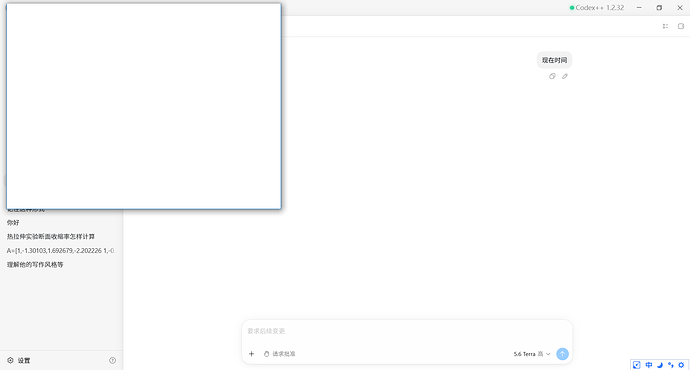
如题,之前一直是WSL2环境使用Codex,流畅是流畅,但很占内存,而且毕竟不是win原生的文件系统,想通过目录直接打开文件夹,或者是编辑器的时候有点不太方便。
所以最近一直在尝试切换到原生的Windows,使用PowerShell命令。用了一阵子,现在也挺丝滑流畅的。
给大家分享一个我自用的系统提示词,能够减少PowerShell的报错,并且提升执行速度。
整体思路:
默认用 non-login shell,避免加载用户 profile 带来的别名、提示符集成、环境污染。只有明确依赖用户 shell 配置时才用 login/profile shell。
Windows 上优先使用 PowerShell 原生命令,文件和环境操作优先用 PowerShell cmdlet。显式启动 PowerShell 时默认加 -NoProfile。
不混用 Bash 和 PowerShell 语法。
多行脚本加 $ErrorActionPreference = ‘Stop’,防止失败后继续执行。
写文本文件时指定 -Encoding UTF8。
结构化数据处理优先用对象管道,而不是脆弱的字符串切割。
搜索要高效且低噪声,大范围搜索优先用 rg / rg --files,搜索范围从尽可能窄的目录开始。
大目录搜索时排除 .git、node_modules、缓存 等高噪声目录。复杂正则用 rg --pcre2,固定字符串用 rg -F。
放在 ~/.codex/AGENTS.md 下即可。
## PowerShell Guidelines


- On Windows, prefer PowerShell commands and PowerShell-native cmdlets when interacting with the filesystem or environment.

- When explicitly launching PowerShell from another command, use `powershell -NoProfile` or `pwsh -NoProfile` by default to avoid user profile scripts, prompt integrations, aliases, and shell customizations. Omit `-NoProfile` only when the command intentionally depends on the user's PowerShell profile.

- Do not mix Bash syntax with PowerShell syntax in the same command or script.

- For multi-line PowerShell scripts, set `$ErrorActionPreference = 'Stop'` near the top so failures do not continue silently.

- When creating or writing text files from PowerShell, specify `-Encoding UTF8` when the cmdlet supports it.

- Prefer PowerShell object pipelines such as `Select-Object`, `Where-Object`, and `ForEach-Object` for structured data handling instead of fragile text slicing.


## Search Guidelines


- For broad file or text searches, prefer `rg` / `rg --files` over recursive `Get-ChildItem`. Start from the narrowest known directory. When searching large trees such as the user home directory, exclude high-noise directories like `.git`, `node_modules`, virtualenv folders, and package caches, and use `--hidden` only when hidden directories are relevant.

- Use `rg --pcre2` for regex look-around: `(?!...)`, `(?=...)`, `(?<!...)`, `(?<=...)`.

- In PowerShell, quote complex `rg` patterns with single quotes and escape `'` as `''`.

- Use `rg -F` for fixed strings; test complex commands before sharing.


 eman 07-09 15:361楼
 HipHopMan 07-09 15:532楼
 Fengshi 07-09 16:193楼
 魔幻之地 07-09 16:264楼
 yangjiamuzi 07-09 20:365楼
 paddington 07-10 11:206楼
 Katoyu 07-11 09:577楼
 wang8890 07-11 10:328楼
 孙文昌 07-11 11:019楼